
Have you ever watched a YouTube video, joined a Zoom meeting, or listened to music online and found the volume too low even when your device was set to maximum? This is a common problem for many Chrome users.
A volume booster extension can help increase browser audio beyond the default limit, making videos, music, podcasts, and online meetings easier to hear.
In this guide, you’ll learn how volume booster extensions work, when to use them, and how to safely increase audio volume in Google Chrome.
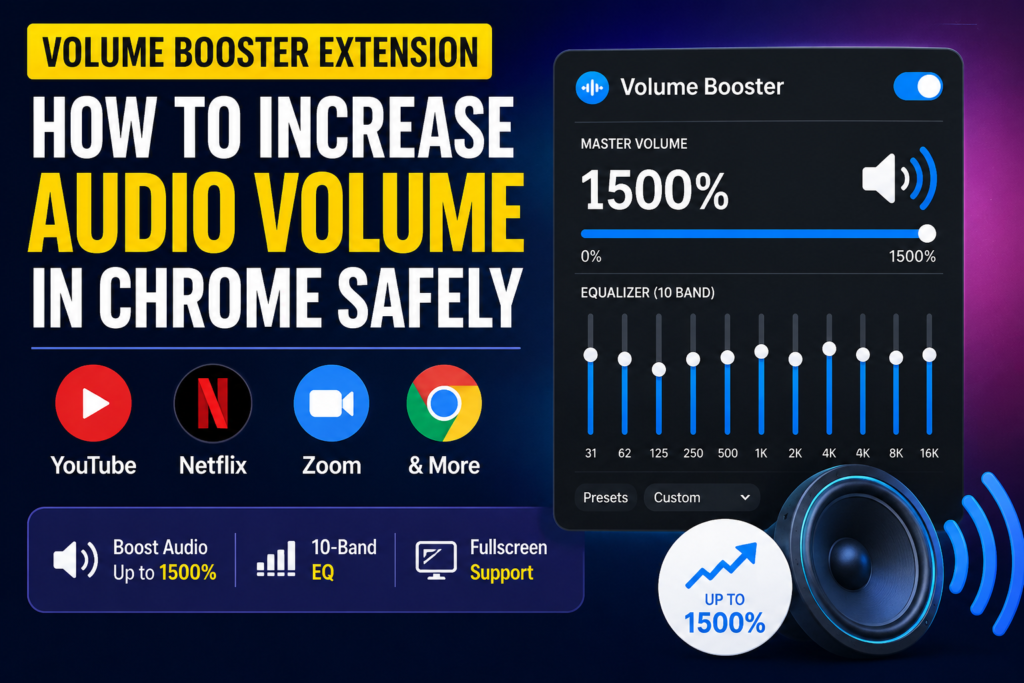
What Is a Volume Booster Extension?
A volume booster extension is a browser add-on that amplifies audio played inside Chrome. Instead of relying only on your computer’s built-in volume controls, it uses audio processing technology to increase sound levels directly inside the browser.
This can be useful when:
- YouTube videos are recorded at a low volume.
- Netflix dialogue is difficult to hear.
- Zoom meetings sound quiet.
- Online courses have inconsistent audio levels.
- Laptop speakers are not loud enough.
Why Browser Audio Sometimes Sounds Too Low
Many websites use different audio levels. One video may sound loud while another sounds extremely quiet.
Common reasons include:
- Low-quality recordings
- Poor microphone levels
- Dynamic audio compression
- Streaming platform volume limitations
- Small laptop speakers
Even with your system volume set to 100%, audio may still feel too quiet.
Benefits of Using a Volume Booster Extension
A modern volume booster extension offers several advantages:
Increase Audio Beyond 100%
Many extensions can boost sound well beyond Chrome’s default limits.
Better Listening Experience
Whether you’re watching movies, listening to music, or attending meetings, higher audio levels can improve clarity.
Works Across Multiple Websites
A quality extension works on:
- YouTube
- Netflix
- Zoom
- Spotify Web Player
- Online learning platforms
- Most websites with audio
Easy Volume Control
Instead of changing system settings, you can adjust volume directly inside Chrome.
Features to Look For
Not all volume booster extensions are the same.
Useful features include:
10-Band Equalizer
An equalizer allows you to fine-tune frequencies for music, movies, podcasts, and voice calls.
Fullscreen Support
The extension should continue working while videos are displayed in fullscreen mode.
Smart Volume Profiles
Some tools automatically optimize audio settings depending on the website.
Lightweight Performance
A good extension should boost volume without slowing down Chrome.
Is It Safe to Use a Volume Booster Extension?
Yes, when downloaded from trusted sources.
To stay safe:
- Install extensions only from reputable websites or the Chrome Web Store.
- Avoid extensions requesting unnecessary permissions.
- Keep Chrome updated.
- Use reasonable volume levels to protect your hearing.
How to Increase Audio Volume in Chrome
- Install a trusted volume booster extension.
- Open a website with audio.
- Click the extension icon.
- Adjust the volume slider.
- Fine-tune the sound using the equalizer if available.
Most users immediately notice a significant improvement in audio output.
Final Thoughts
A volume booster extension is one of the easiest ways to improve audio quality in Chrome. Whether you’re watching YouTube, streaming movies, attending Zoom meetings, or listening to music online, a reliable volume booster can make quiet audio easier to hear.
If you’re looking for a simple solution, choose an extension that offers volume amplification, equalizer controls, fullscreen support, and a clean user experience without unnecessary complexity.